Patent drawings visually disclose an invention's structure, operation, or ornamental appearance. The right figures can clarify your application, but missing features, inconsistent labels, or improper formatting can create objections and limit your ability to correct the filing.
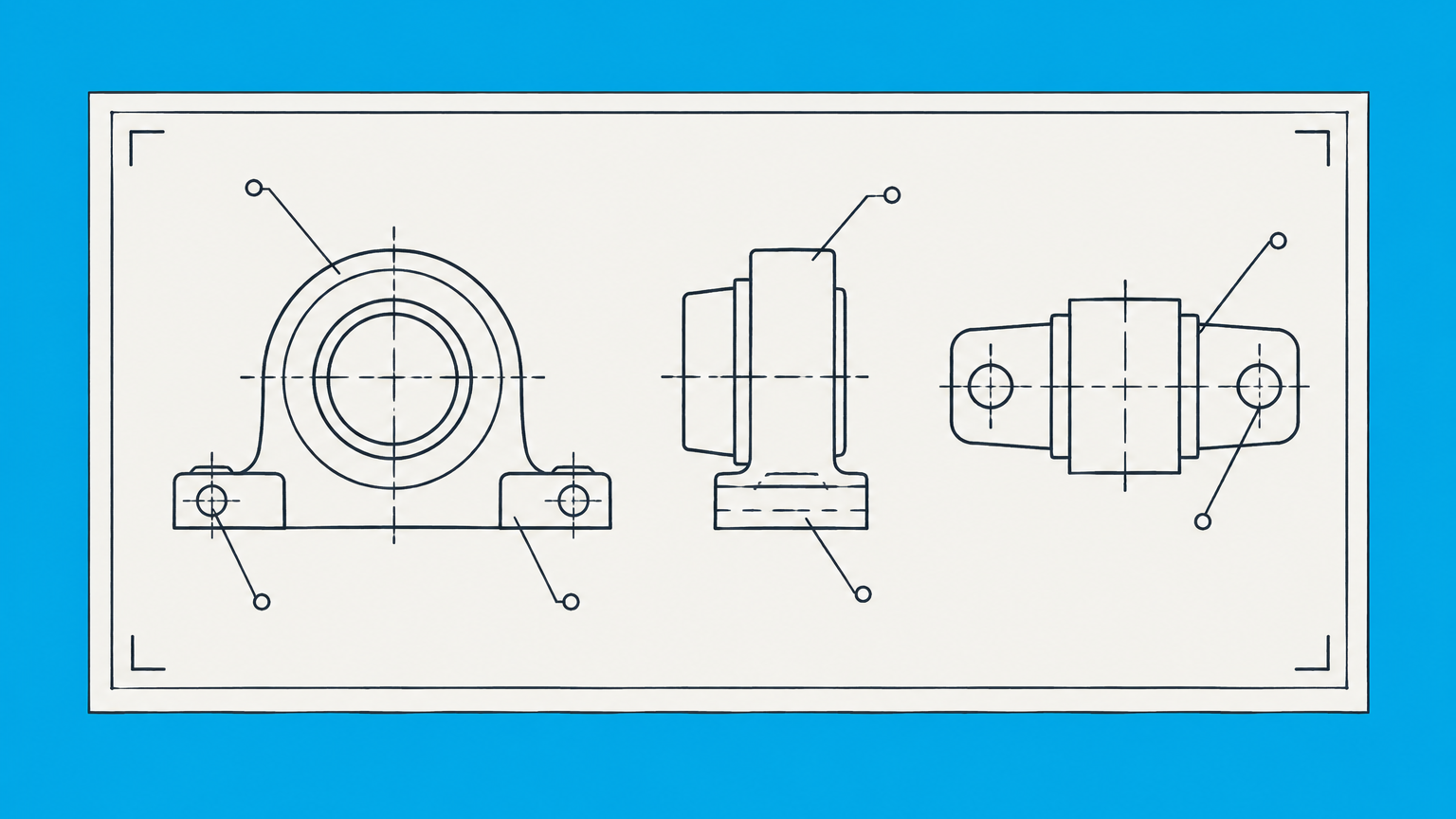
Key Takeaways
- Include drawings whenever they are necessary to understand the invention, and include every drawing referenced in the application.
- Use clean, reproducible figures with the correct sheet size, margins, numbering, labels, and reference characters.
- Utility drawings explain structure and operation, while design drawings define the claimed visual appearance.
- Ordinary paper, drawing software, and AI tools are usable only if the final submission satisfies USPTO rules.
- Color drawings and photographs receive special treatment and should not be used casually.
- Drawing corrections cannot introduce new matter that was absent from the original disclosure.
When Are Patent Drawings Required?
A patent application should contain a drawing when one is necessary to understand the subject matter. This commonly applies to machines, manufactured products, electrical systems, user interfaces, and processes that are easier to explain through diagrams or flowcharts. Some chemical compositions or methods may be understandable without a drawing, but there is no universal exception based only on an invention's industry.
A utility patent drawing should show the components, relationships, and operating states needed to support the written description and claims. Drawings do not replace the substantive patent criteria, such as novelty and nonobviousness. They help the examiner understand what you contend is the invention and how its elements fit together.
Design applications depend even more heavily on visual disclosure. The drawings or permitted photographs show the claimed ornamental design, so inconsistencies between views may make the scope unclear. For more background on what this protection covers, see the difference between functional and ornamental protection in this overview of a design patent.
A provisional application does not excuse an incomplete disclosure. If a drawing is necessary to understand an invention, include it when filing. You generally cannot add omitted subject matter later and retain the original filing date for that material. Practical guidance on early-stage figures appears in patent drawings for provisional applications.
Before filing, ask one practical question: Could a technically skilled reader understand and reproduce the relevant invention from the specification and included figures? If not, add the necessary views and written explanation before submission.
Patent Drawing Requirements Checklist Under 37 CFR 1.84
The detailed patent drawing rules appear in 37 CFR 1.84, with examination guidance in the USPTO's MPEP drawing provisions. Check the current versions before filing because submission procedures can change.
- Sheet size: Use either 21.0 by 29.7 centimeters, which is A4, or 21.6 by 27.9 centimeters, which is 8.5 by 11 inches.
- Margins: Leave at least 2.5 centimeters at the top, 2.5 centimeters on the left, 1.5 centimeters on the right, and 1.0 centimeter at the bottom.
- Material and surface: Physical sheets must be flexible, strong, white, smooth, non-shiny, and durable. Use only one side.
- Line quality: Produce black, dense, uniformly thick, well-defined lines that remain legible after reproduction and reduction.
- Views: Include as many views as needed. Perspective, sectional, exploded, partial, and alternate-position views can explain features that an exterior view cannot show.
- Figure numbering: Number views consecutively with Arabic numerals, ordinarily following the abbreviation "FIG." Number drawing sheets separately in consecutive order.
- Reference characters: Use the same numeral for the same component in every view and in the specification. Keep characters clear of lines and avoid unnecessary reference numbers.
- Lead lines and arrows: Connect reference characters to the intended feature without crossing or obscuring important details. Use arrows consistently when they indicate movement or an entire feature.
- Text and legends: Minimize words inside drawings. Use brief labels or legends only when they are needed to understand diagrams, graphs, or processes.
- Shading: Use shading where it helps show contour, shape, or surface characteristics. Avoid large solid-black areas that hide details.
Perform the final review at the size in which the USPTO will reproduce the figures. Fine detail, crowded numerals, and faint gray lines may look acceptable on a large monitor but become unreadable after reduction.
How to Make a Patent Drawing Step by Step
- Identify what must be disclosed. List every component, relationship, process stage, operating position, and visual feature discussed in the specification. Separate essential features from background environment.
- Select the necessary views. Start with a perspective or overview. Add front, rear, side, top, bottom, sectional, exploded, flowchart, or alternate-position views when they communicate information not visible elsewhere.
- Create a parts list. Assign one reference numeral to each component. Do not use the same number for different parts or change terminology between the figures and written description.
- Draft and order the figures. Present the invention logically, moving from an overall view to detailed views or from the beginning of a process to its result. Make proportions and component locations consistent across figures.
- Write figure descriptions. Identify each figure in the specification and explain what the view represents. Then describe the numbered elements and how they interact. A strong software patent application, for example, may pair system diagrams with process flowcharts and detailed written support.
- Compare drawings with the claims. Confirm that every claimed relationship is understandable and that the drawings do not contradict the text. Do not add an attractive feature that the inventor did not actually disclose.
- Run a formal compliance review. Check margins, numbering, line quality, shading, legends, sheet order, and reproduction quality. Review the complete application rather than approving each drawing in isolation.
Looking at issued patents in the same technical field can help you understand useful view types and conventions. Do not copy another patent's figures or assume an older example reflects current filing instructions. Your drawings must accurately represent your own disclosure.
Utility, Design, Plant, and Provisional Drawing Differences
| Application | Primary purpose | Typical views | Major concern |
|---|---|---|---|
| Utility | Explain structure, operation, or a process | Perspective, sectional, exploded, block diagrams, flowcharts, and operating positions | Figures must support the specification and claimed relationships without adding unsupported features |
| Design | Disclose the claimed ornamental appearance | Perspective plus front, rear, left, right, top, and bottom views as needed | Every view must depict one consistent design and distinguish claimed from unclaimed subject matter |
| Plant | Show the plant's distinguishing characteristics | Whole-plant views and close views of foliage, flowers, fruit, or other relevant features | The visual disclosure must clearly show characteristics capable of illustration |
| Provisional | Support the initial disclosure of the invention | Any views needed to understand the disclosed subject matter | Later-added details may not receive the provisional filing date |
For utility applications, completeness does not always mean showing six exterior sides. Choose views based on function and disclosure. A sectional view may explain an internal passage, while an exploded view may show component relationships. Flowcharts and block diagrams are often appropriate for computer-implemented processes.
For design applications, the drawing set effectively defines what is claimed. Solid lines ordinarily identify claimed portions, while broken lines may show unclaimed environment or boundaries when used and described correctly. Surface shading can disclose contours that outlines alone do not reveal. If the design concerns visual rather than functional innovation, review how the USPTO treats ornamental design before deciding which features to claim.
Omitting a duplicative or unornamented design view may be possible when the specification clearly explains the omission. Do not omit a view merely because consumers rarely see that side of the product.
Normal Paper, Drawing Software, and AI Tools
You can use ordinary paper for a physical submission only if it meets the applicable size, margin, surface, strength, color, and durability requirements. Standard white printer paper may have the correct dimensions but should not be assumed compliant without checking its characteristics. When filing electronically through Patent Center, physical paper characteristics are not the issue. Follow the USPTO's current electronic-document and drawing instructions instead.
The USPTO does not require a particular drawing program. The best software for patent drawings is therefore the program that lets you produce accurate, editable, reproducible figures. Evaluate tools by capability:
- Precise vector lines and controllable line weight
- Consistent scale and proportions across views
- Layer or object management for complex components
- Easy revision of figure labels and reference numerals
- Reliable export without faint lines, distortion, or lost detail
- Enough control over shading, broken lines, hatching, and flowchart symbols
CAD tools may suit mechanical products, while vector illustration software may provide better control for line drawings. Diagramming tools can work for software architecture and process flows. Patent drawing software legal requirements concern the final output, not the product's brand or marketing claims.
AI can assist with rough concepts, cleanup, or view generation, but its output is not automatically compliant. Generative tools may invent components, change proportions between views, omit hidden features, or create figures that conflict with the specification. They may also raise confidentiality concerns if you upload an undisclosed invention to an outside service. Treat AI output as a draft and have a knowledgeable person verify every line against the actual invention.
Color Drawings, Photographs, and Design Patent Shading
Black-and-white line drawings are the standard format because they reproduce clearly and allow consistent interpretation. Color drawings are permitted only in limited circumstances when color is necessary as the only practical medium for disclosing the claimed subject matter. A nonprovisional applicant seeking to use color must follow the current petition procedure, provide the required explanation and specification language, and satisfy the current fee and submission requirements.
Photographs are also restricted in utility and design applications. The USPTO may accept them when photographs are the only practical medium for illustrating the invention, such as certain biological material or visual effects that line drawings cannot adequately represent. Color photographs are treated as color drawings. Plant patent applications commonly use color images when color is a distinguishing characteristic.
Do not use photographs merely because they are faster than preparing line drawings. Background objects, reflections, inconsistent lighting, and perspective distortion can obscure the invention. A photograph may also reveal unintended details that create ambiguity about what is being disclosed or claimed.
Design patent shading serves a different function from decorative rendering. Linear shading and stippling can show contour, depth, transparency, texture, or surface treatment. The shading must remain consistent among views. Solid lines, broken lines, boundary lines, and shading each affect how readers understand the claimed design, so explain relevant conventions in the specification.
Before submitting color or photographs, confirm the current USPTO procedure rather than relying on an older patent as a template. Petition requirements, electronic submission practices, and required supporting materials can change.
Drawing Mistakes, Corrections, and Legal Review
Common mistakes include missing views, inconsistent proportions, duplicate reference numerals, unlabeled components, incorrect margins, faint lines, excessive text, and figure descriptions that do not match the drawings. Design applications also encounter problems when solid and broken lines change between views or when shading makes the shape appear inconsistent.
The most serious issue is not always formatting. A drawing may omit an essential feature or conflict with the specification. Correcting that problem after filing can be difficult because an amendment generally cannot introduce new matter. A clearer line or corrected numeral may be permissible, while adding a previously undisclosed component, relationship, shape, or operating step may exceed the original disclosure.
If your figures may omit an essential feature, conflict with the specification, require correction after filing, or define the scope of a design patent, you can post your legal need on UpCounsel's marketplace. A patent attorney can review the disclosure, coordinate compliant figures with an illustrator, and determine whether a proposed correction or amendment is legally permissible. Responses typically arrive within a day.
When the USPTO requests replacement drawings, follow the notice and the current amendment rules precisely. Replacement sheets must identify the relevant changes as required without casually altering unaffected subject matter. See the related guidance on USPTO amendment format when responding to an examiner or correcting formal defects.
A professional illustrator can improve line quality and formatting, especially for complex mechanical products and design applications. The illustrator should work from a complete disclosure and receive a controlled parts list. Legal judgment remains separate from drafting skill. An illustrator can render what you provide, but should not decide which features the application must disclose or claim.
Frequently Asked Questions
How Do You Make a Patent Drawing?
Start by sketching the invention as it actually exists, then convert the sketch into clear views that match your written disclosure. Preserve dated sketches and design files so you can explain how each figure was developed. If another person prepares the formal artwork, give that person written instructions rather than relying only on an oral product demonstration.
Can I Use Normal Paper for Patent Drawings?
Yes, but only if the paper satisfies the USPTO's current physical-sheet standards. Avoid paper with printed logos, grid lines, folds, gloss, or weak contrast. If you file electronically, retain an original-quality version of each figure rather than scanning a low-resolution printout, since printing and rescanning can degrade fine lines and reference characters.
What Does a Patent Look Like?
A published patent generally contains a front page with identifying information, followed by drawings, a written description, and claims defining the protected invention. The arrangement differs by patent type and publication. Design patents contain relatively little text because the visual disclosure is central, while utility patents often include extensive technical descriptions, multiple claims, and several kinds of diagrams.
How Do You Draw a Patent for a Moving Invention?
Show a moving invention through separate operating positions, directional arrows, or an exploded or sectional view rather than trying to depict every state in one crowded image. Label the same component consistently in each position. The accompanying description should explain the sequence, what causes movement, and how the moving parts interact without depending on animation.
Can AI Create Patent Drawings?
AI can create a preliminary illustration, but you remain responsible for its accuracy and confidentiality. Before uploading invention details, examine the provider's data-retention, training, ownership, and access terms. Keep the human-created originals and verify that the final figures do not contain visual artifacts, impossible geometry, hidden text, or features borrowed from unrelated generated images.
Does a Poor Man's Patent Work?
No, mailing an invention description or drawing to yourself does not create patent rights or substitute for filing with the USPTO. A sealed envelope may document that materials existed on a particular date, but it does not establish a patent application filing date. Patent rights depend on satisfying the applicable filing, disclosure, examination, and issuance requirements.